Ask your coding agent for a screen. Lakar gives it a real design canvas — boards, tokens, components — and shows you every change live, right beside your terminal.
Free · v0.1.8 · macOS · Windows · Linux
01Prompt it
Your agent finally
has a canvas
Ask for a screen like you’d ask for a function. Claude Code calls Lakar’s MCP tools and draws on a typed document — boards, auto layout, tokens, components — instead of guessing at HTML.
b = Insert(document, {type: "frame", name: "Pricing"layout: "vertical", gap: 48})for (t of tiers) Insert(b, card(t))
One call, a whole board
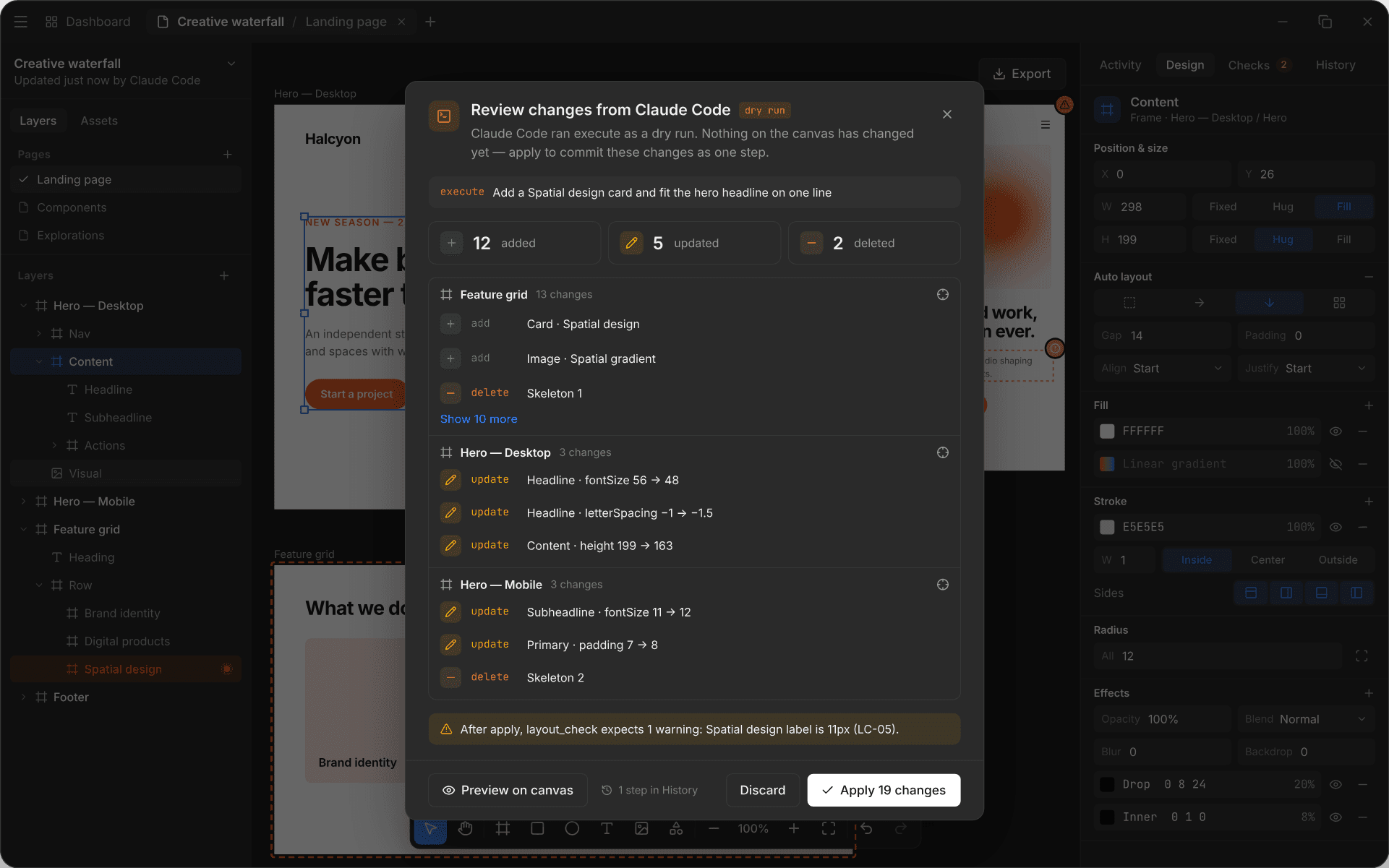
Agents write small scripts against the document: insert, update, move, delete.
Dry-run first
Every change lands as a list you review before it touches the file.
Settings → Connections
Install in one click
Settings → Connections → Install in an agent. No config files to edit.
02See it live
Watch every change
as it lands
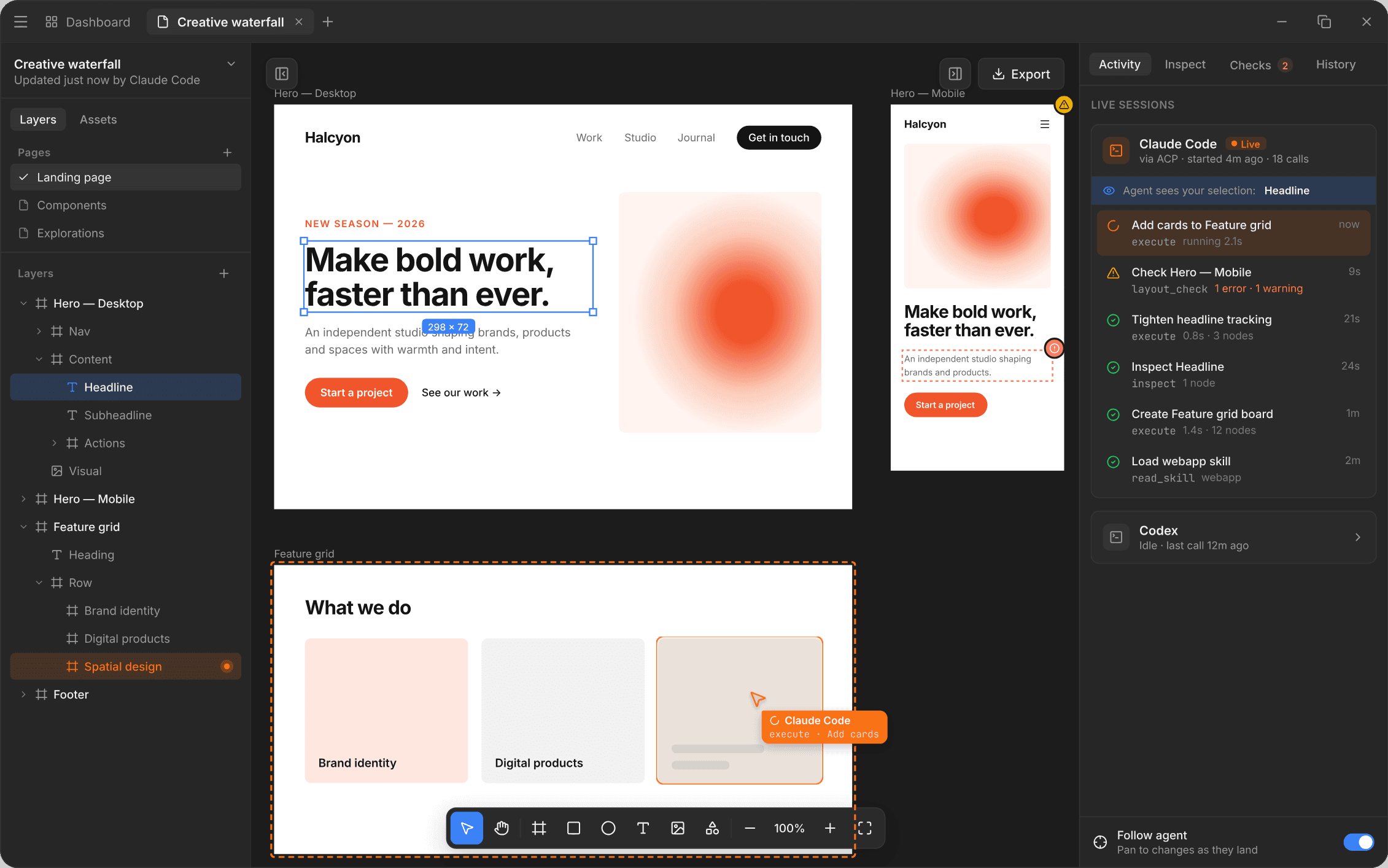
The viewer updates while the agent works. Its cursor on the board, every tool call in the feed and what the checks found — no screenshots, no “can you show me?”.
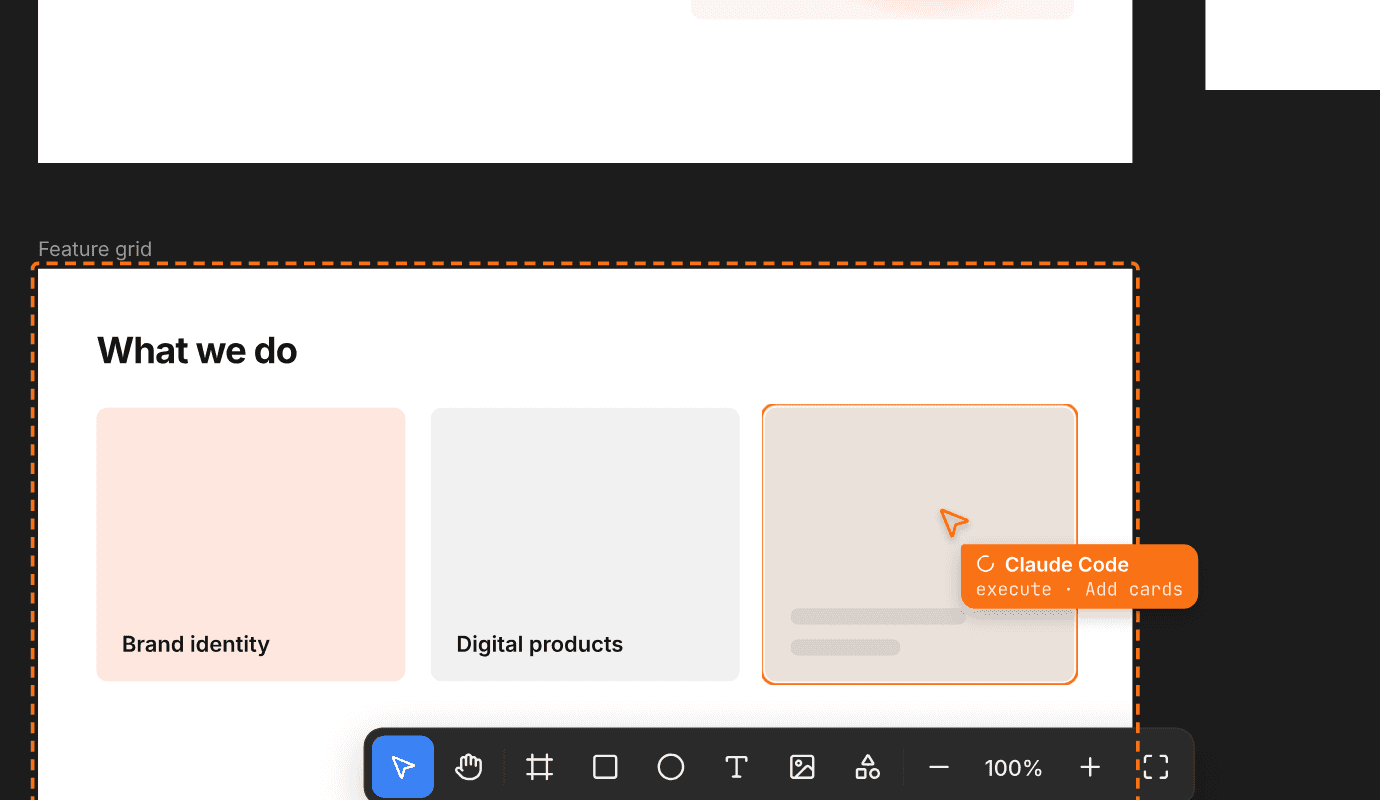
Presence on the board.The agent’s cursor and the layer it is editing, in its own color.
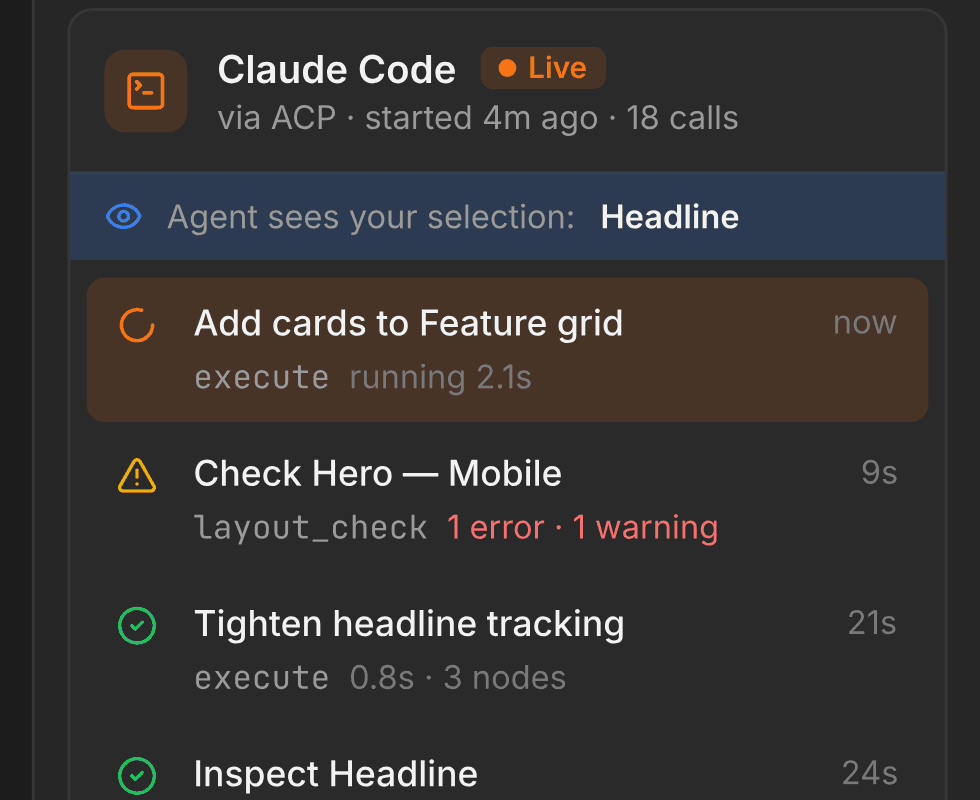
Every call in the feed.What ran, how long, and what the checks found.
03Refine it
“Warmer, and smaller
on mobile.” Done.
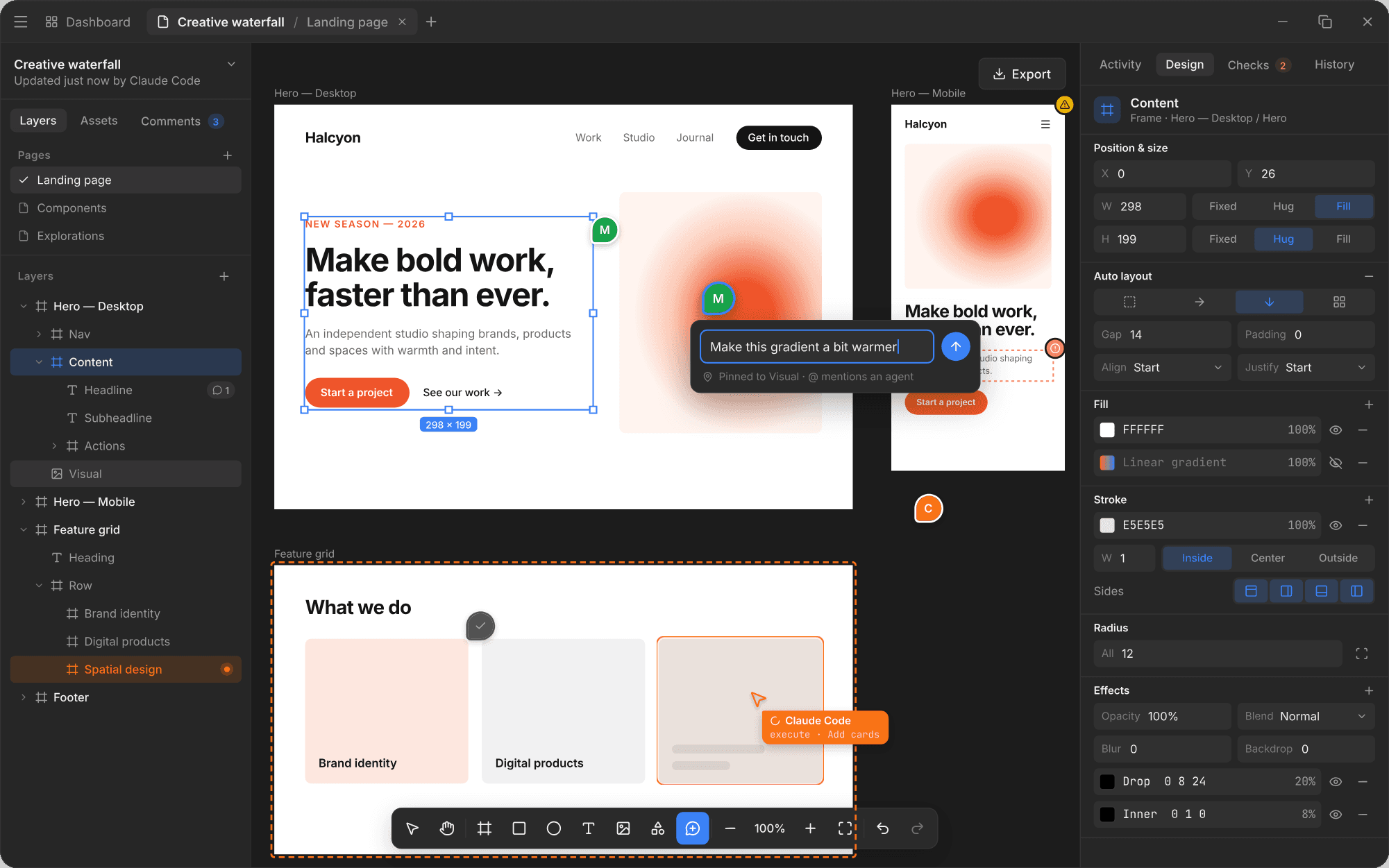
Pin a comment on the layer that’s off. The agent reads the thread, answers in it and edits the document. Every change is a real property you can see, keep or undo.
This gradient feels cold, and the headline is too big on mobile.
Warming the gradient stops and dropping the mobile headline to 40. I’ll run layout_check after.
Perfect. Tighten the tracking a little too.
pinneda comment on a layer, not on a screenshotrev 43every edit lands in History, one click from restored
Or change it yourself
Layers, inspector, tokens and components work on the same document the agent writes, so nothing gets out of sync.
04Ship it
From board to
React in one export
Export any board as React. Tailwind v4 or CSS modules, components with typed props, tokens as CSS variables.
Same output, both ways.You and the agent’s export_code tool produce identical files.
Tokens travel with it.tokens.css and theme.css ship with every export, modes included.
Or just send a link.Snapshot links open in any browser; viewers never need an account.
export function HeroDesktop() {return (<section className="flex flex-col gap-6"><Nav brand="Halcyon" /><h1 className="text-display">Make bold work, faster than ever.</h1><Card title="Spatial design" tone="accent" /></section>)}
And the details,
done properly
Real files you can diff
.pen is typed JSON with CSS semantics. Commit it, review it, merge it like code.
Real pixels, not guesses
lakard renders every board with Playwright, so the agent checks what you will actually see.
Nothing is final
Every change, yours or the agent’s, lands in History — one click from restored.
Tokens & DTCG
Variables with light and dark modes. Import and export design tokens in the DTCG format.
Checks before you look
layout_check flags layout and legibility problems before the agent says done.
MCP over stdio
Install in an agent from Settings → Connections. No plugin, no browser extension, no API key to paste.
Lakar Cloud
Local by default,
cloud when you share
Every design lives on your computer. Files, rendering and the viewer all run locally — nothing syncs in the background. Lakar Cloud only comes in when you send a share link: a snapshot goes up, your working files stay put.
Your computer
Your .pen files — on disk, in your repo
Lakar Cloud
app.lakar.dev/s/Cw7Q2k
A view-only snapshot. Anyone with the link can open it — no account needed.
- Local
- designs, rendering and the viewer run on your computer
- 1 link
- the only thing that leaves — a snapshot you choose to share
- No account
- needed to open a share link in the browser
Questions
Anything else? Open an issue on GitHub.
It gives your coding agent a real design canvas. Claude Code, Codex or any MCP client draws boards, tokens and components through Lakar’s MCP tools, and you watch, comment and edit in the viewer.
A Lakar Cloud account, created once when the app first opens — Google, GitHub or an email link. It is what share links run on; your designs stay on your computer either way.
Claude Code, Codex, Pi, OpenCode and any other MCP client. Install from the app: Settings → Connections → Install in an agent.
After the first sign-in, yes. Designing, rendering and the viewer all run on your computer; only share links need the internet.
Draw and restructure boards, edit tokens and components, read and answer comments, export code, and check its own work against the real render with layout_check.
Yes. A snapshot link opens in any browser and viewers never need an account. Or export the board as React and hand over the code.
Desktop apps for macOS, Windows and Linux. Or run lakard and open the viewer in any browser at 127.0.0.1:7466/app/.
The desktop app, the lakard daemon and the MCP server are MIT-licensed on GitHub. Lakar Cloud, which runs share links, is a separate hosted service.


Next time, just prompt it
Free, and your designs stay on your computer.
Download for MacFree · v0.1.8 · macOS · Windows · Linux